Windows logo key
Display or hide the Start menu
Windows logo key+L
Lock the computer
Windows logo key+BREAK
Display the System Properties dialog box
Windows logo key+D
Show the desktop
Windows logo key+M
Minimize all windows
Windows logo key+SHIFT+M
Restore minimized windows
Windows logo key+E
Open My Computer
Windows logo key+F
Search for a file or folder
CTRL+Windows logo key+F
Search for computers
Windows logo key+F1
Display Windows Help
Windows logo key+R
Open the Run dialog box
Windows logo key+U
Open Utility Manager
Saturday, February 13, 2010


Monday, February 8, 2010
Reduce Firefox memory usage
Keyword:
Optimize Firefox memory
Firefox memory usage too high
In this chapter
I will simply teach how to reduce your Firefox memory usage.
Usually my Firefox can reach from 100k-300k memory usage. But with this, about 60-90k
Case
Im using Firefox 3.6
Window XP Home Edition SP 3
This tutorial is actually come from aviransplace
The Setting
But here my settings. You can custom it as you want.
Refer to the aviransplace to know what is the value should be put
1. At the address bar, type "about:config" and press enter
2. browser.cache.disk.capacity = 4096
3. browser.cache.offline.capacity = 4096
4. browser.sessionhistory.max_total_viewers = 2
Note
When using Firebug for developing website. I realize that the more error Firebug detect, the higher my memory consumption (and it does not go down).
To view current memory chache usage type "about:cache?device=memory" at addressbar
Additional settings.
Take a note that Firefox plug-in also can affect you memory usage.
You can check it ad Tools > Add-ons
In my case I only leave
Firebug 1.5.0
Flashblock 1.5.11.2
LogMeIn 1.0.0.496
Once done. My 1 tab with google page consume me 70k memory usage
Another additional setting
In case you want a ad hock browsing. It is best for you to keep a FF with a safemode start.
Simply duplicate the Shortcut of the FF
At the new Icon Right click > Properties
And add new words "-safe-mode"
It become like this
"C:\Program Files\Mozilla Firefox\firefox.exe" -safe-mode
Guess what. Its 55k memory usage
Update on 22 April 20110
I think these method is already obsolete and cannot be use anymore
Optimize Firefox memory
Firefox memory usage too high
In this chapter
I will simply teach how to reduce your Firefox memory usage.
Usually my Firefox can reach from 100k-300k memory usage. But with this, about 60-90k
Case
Im using Firefox 3.6
Window XP Home Edition SP 3
This tutorial is actually come from aviransplace
The Setting
But here my settings. You can custom it as you want.
Refer to the aviransplace to know what is the value should be put
1. At the address bar, type "about:config" and press enter
2. browser.cache.disk.capacity = 4096
3. browser.cache.offline.capacity = 4096
4. browser.sessionhistory.max_total_viewers = 2
Note
When using Firebug for developing website. I realize that the more error Firebug detect, the higher my memory consumption (and it does not go down).
To view current memory chache usage type "about:cache?device=memory" at addressbar
Additional settings.
Take a note that Firefox plug-in also can affect you memory usage.
You can check it ad Tools > Add-ons
In my case I only leave
Firebug 1.5.0
Flashblock 1.5.11.2
LogMeIn 1.0.0.496
Once done. My 1 tab with google page consume me 70k memory usage
Another additional setting
In case you want a ad hock browsing. It is best for you to keep a FF with a safemode start.
Simply duplicate the Shortcut of the FF
At the new Icon Right click > Properties
And add new words "-safe-mode"
It become like this
"C:\Program Files\Mozilla Firefox\firefox.exe" -safe-mode
Guess what. Its 55k memory usage
Update on 19 July 2010
Now Im using Google Chrome (most of the time) because of FF will run 1 .exe file just for flash. I didnt remember the name but it was on the task manager. This result a very high CPU consumption in my PC. I heard it was because of latest FF and this is still on a testing phase.
Update on 22 April 20110
I think these method is already obsolete and cannot be use anymore
Wednesday, February 3, 2010
PHP trace error
Keyword
PHP trace error
PHP display error stack
PHP show error stack
PHP debug error
PHP show previous error
I believe many developer is well known of this, which is debugging your PHP code.
You might realize in WAMP (windows) the error display is at the current line.
Thus, if the error happen in a function tracking it down will be hard indeed since you dont know where the function is called.
To solve this problem, developer will use debugger tool.
In this case I will recommend Xdebug. http://xdebug.org/index.php
Here some screen shot on how the xdebug looks like

To install xdebug for window is pretty easy
1. Donwload the xdebug.dll file
2. Inside the php.ini, specifiy where you put the xdebug.dll file
3. Detail of the installation can be read at the xdebug documentation itself
good luck, kupo
PHP trace error
PHP display error stack
PHP show error stack
PHP debug error
PHP show previous error
I believe many developer is well known of this, which is debugging your PHP code.
You might realize in WAMP (windows) the error display is at the current line.
Thus, if the error happen in a function tracking it down will be hard indeed since you dont know where the function is called.
To solve this problem, developer will use debugger tool.
In this case I will recommend Xdebug. http://xdebug.org/index.php
Here some screen shot on how the xdebug looks like

To install xdebug for window is pretty easy
1. Donwload the xdebug.dll file
2. Inside the php.ini, specifiy where you put the xdebug.dll file
3. Detail of the installation can be read at the xdebug documentation itself
good luck, kupo
Wednesday, January 20, 2010
phpmyadmin blank page too many table
If you were developer and just installed a WAMP in your machine.
There might be a problem where the phpmyadmin page goes blank after when you select the database.
And if you observe, this only happen when the number of table is too many.
Like this,

This problem is actually because of the setting in your php.ini config file
The setting title is called "Resource Limits". Search for this "Resource Limits" inside the php.ini and change to this.
You can set anything as long as its more than the default.
max_execution_time = 60
max_input_time = 60
memory_limit = 256M
After that, restart the WAMP and its solved.
This problem occured on WAMP5 Version 1.7.0
There might be a problem where the phpmyadmin page goes blank after when you select the database.
And if you observe, this only happen when the number of table is too many.
Like this,

This problem is actually because of the setting in your php.ini config file
The setting title is called "Resource Limits". Search for this "Resource Limits" inside the php.ini and change to this.
You can set anything as long as its more than the default.
max_execution_time = 60
max_input_time = 60
memory_limit = 256M
After that, restart the WAMP and its solved.
This problem occured on WAMP5 Version 1.7.0
Notepad 2
Probably many ppl didnt know about "abit advance" version of notepad.
Its lightweight and almost similar to notepad.
Mostly, it is used by developer for quick editing.
As for me, i like it because its support syntax highlighting and show a line number
Here is where you can download it HERE
Some screen shot

Its lightweight and almost similar to notepad.
Mostly, it is used by developer for quick editing.
As for me, i like it because its support syntax highlighting and show a line number
Here is where you can download it HERE
Some screen shot

Tuesday, January 12, 2010
Using FTP client
In this page, I will simply teach how to use FTP (File Transfer Protocol).
Its allow you to download and upload a file into another computer.
And of course, the permission to download or upload is determine by the another computer. Lets called it as server.
First of all, is the tool required to use this FTP.
In this case I will be showing using Mozilla Firefox 3.5.7 and Core FTP Lite.
Using Mozilla Firefox
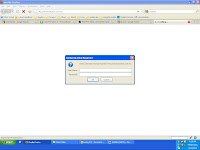
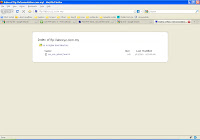
Its simple, just type the ftp URL in the URL bar. Eg: ftp://abcxyz.com.my/
Please note that Mozilla Firefox is only a client. Thus, you can only download a file from it(not upload)
Using Core FTP Lite (free edition)
First of all, download the software first
http://www.coreftp.com/
http://download.cnet.com/Core-FTP-Lite/3000-2160_4-10256215.html
Once Install. Run the software and you may have something like this
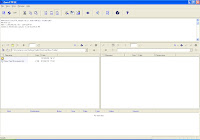
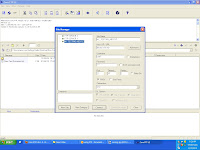
Go to the Menu > File > Connect.
The ftp server is ftp://abcxyz.com.my/. Thus, inside the HOST/IP/URL is “abcxyz.com.my”.
The username and password is depends.
After all the setting, click “Connect” button.
To use the Core FTP is also easy. Just need to drag and drop for download or upload
Conclusion
This is a simple tutorial on how to use. There is also a lot of stuff that I didn't know. Google might help.
Please note that the exact FTP link is not.
See this website http://www.cs.tut.fi/~jkorpela/ftpurl.html to see the FTP real URL format.
Well, its like this ftp://user:password@host:port/path
Its allow you to download and upload a file into another computer.
And of course, the permission to download or upload is determine by the another computer. Lets called it as server.
First of all, is the tool required to use this FTP.
In this case I will be showing using Mozilla Firefox 3.5.7 and Core FTP Lite.
Using Mozilla Firefox
Its simple, just type the ftp URL in the URL bar. Eg: ftp://abcxyz.com.my/
Please note that Mozilla Firefox is only a client. Thus, you can only download a file from it(not upload)


Using Core FTP Lite (free edition)
First of all, download the software first
http://www.coreftp.com/
http://download.cnet.com/Core-FTP-Lite/3000-2160_4-10256215.html

Once Install. Run the software and you may have something like this

Go to the Menu > File > Connect.
The ftp server is ftp://abcxyz.com.my/. Thus, inside the HOST/IP/URL is “abcxyz.com.my”.
The username and password is depends.
After all the setting, click “Connect” button.
To use the Core FTP is also easy. Just need to drag and drop for download or upload
Conclusion
This is a simple tutorial on how to use. There is also a lot of stuff that I didn't know. Google might help.
Please note that the exact FTP link is not.
See this website http://www.cs.tut.fi/~jkorpela/ftpurl.html to see the FTP real URL format.
Well, its like this ftp://user:password@host:port/path
Thursday, January 7, 2010
Flashblock
Flashlock is a Firefox add on that used to block all type of flash player.
Its let you to determine by your own to run the flash or not.
Benefit
Improve your internet speed since less data is loaded into your website page
Disable annoying advertisement
How do I get this?
Its in the Firefox add on website. Just search for "Flashblock"
Or simply click HERE
The installation should be easy for Firefox.
Here some example

Flashblock on FF Addon

Flashblock on the run
Its let you to determine by your own to run the flash or not.
Benefit
Improve your internet speed since less data is loaded into your website page
Disable annoying advertisement
How do I get this?
Its in the Firefox add on website. Just search for "Flashblock"
Or simply click HERE
The installation should be easy for Firefox.
Here some example

Flashblock on FF Addon

Flashblock on the run
Subscribe to:
Posts (Atom)